Internal events and share links
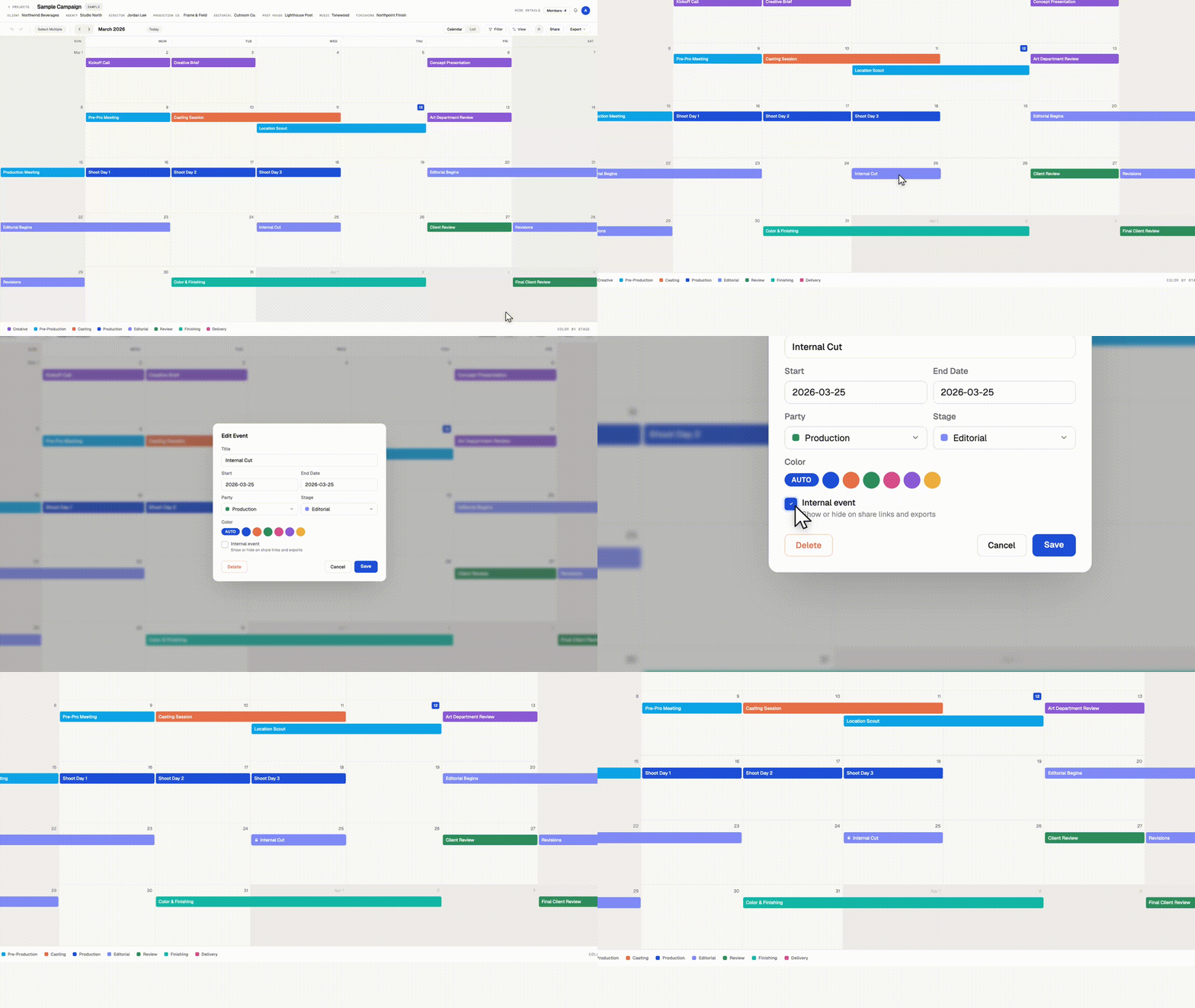
Keep internal milestones off client calendars.
Some dates belong on your production calendar without belonging in front of a client. Internal reviews, budget check-ins, padding days before a delivery. You can now mark any event as internal.
Internal events
Check "Internal event" when creating or editing an event. Internal events appear on your calendar with a small lock icon, and everyone on your team sees them. You choose whether they appear on share links and exports. PDF and PNG exports leave them out unless you turn on "Include internal events" in the export window.
Multiple share links, each with its own settings
Create as many share links per calendar as you need, and name each one. Each link has its own settings for viewer customization, downloads, and internal events. A few ways to use it:
Client link. Internal events hidden. The clean schedule your client sees.
Vendor link. Downloads on, so a vendor can grab the PDF themselves.
Team link. Internal events shown, for freelancers who need the full picture without a Workback login.
Rename, adjust, or revoke any link at any time from the Share menu. Revoking one link leaves the others working.
Available now on every plan.