
Changelog

Follow new updates and improvements to Workback.

Internal events and share links
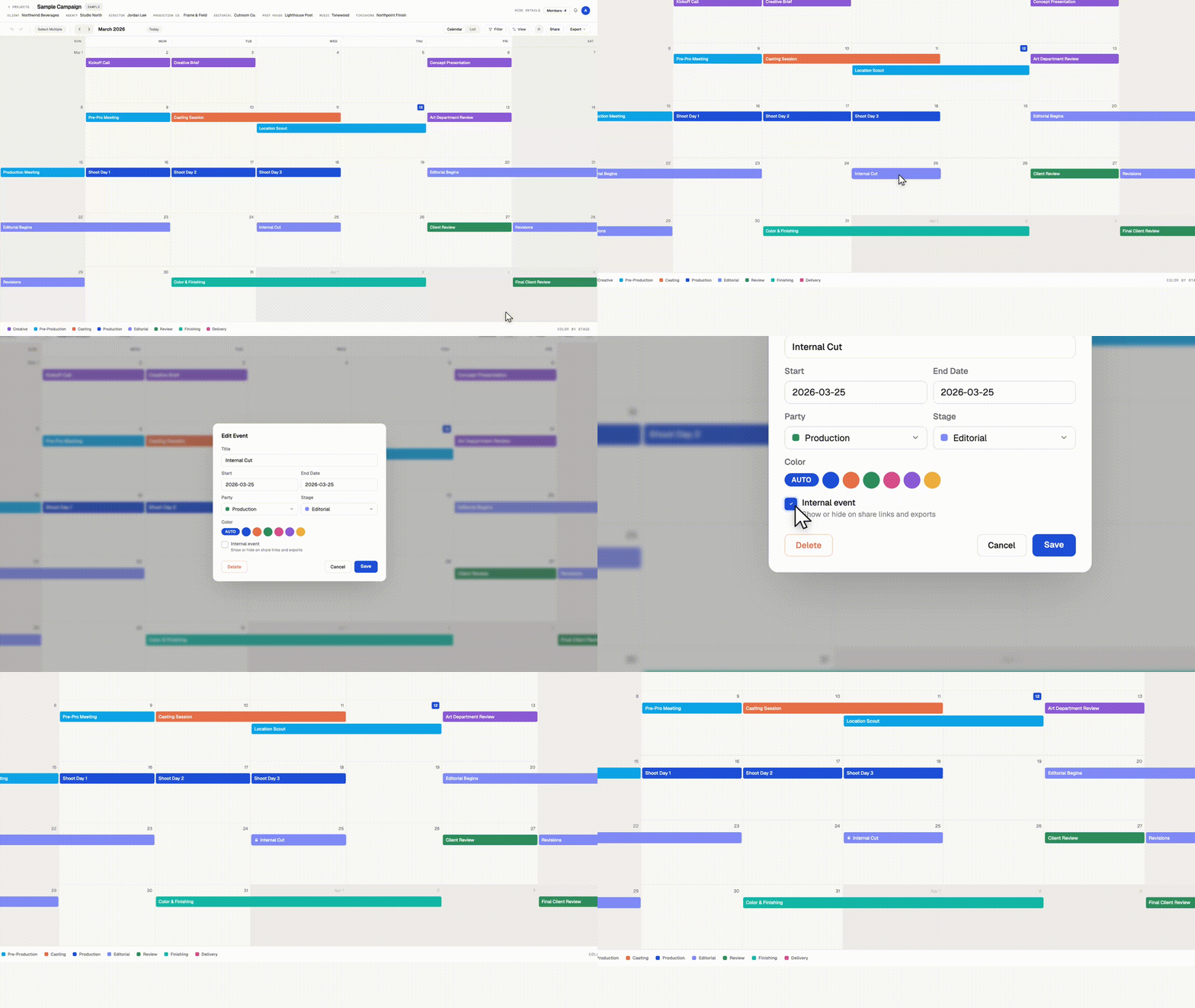
Keep internal milestones off client calendars.

Some dates belong on your production calendar without belonging in front of a client. Internal reviews, budget check-ins, padding days before a delivery. You can now mark any event as internal.

Internal events
Check "Internal event" when creating or editing an event. Internal events appear on your calendar with a small lock icon, and everyone on your team sees them. You choose whether they appear on share links and exports. PDF and PNG exports leave them out unless you turn on "Include internal events" in the export window.

Multiple share links, each with its own settings
Create as many share links per calendar as you need, and name each one. Each link has its own settings for viewer customization, downloads, and internal events. A few ways to use it:

  • Client link. Internal events hidden. The clean schedule your client sees.

  • Vendor link. Downloads on, so a vendor can grab the PDF themselves.

  • Team link. Internal events shown, for freelancers who need the full picture without a Workback login.

Rename, adjust, or revoke any link at any time from the Share menu. Revoking one link leaves the others working.

Available now on every plan.
Announcement

Push & Pull now follow your filters

When you have a Filter active — say, only one stage or one party showing — Push and Pull now move only the events you can see. Anything hidden by the filter stays untouched.

  • "All following events" respects the filter. Right-click an event and push or pull the schedule: the shift applies to the visible events only, so you can slide one department's timeline without touching anyone else's dates.

  • Selections stay in sync with your filters. In multi-select mode, if you change the filter and events disappear from view, they're deselected too — bulk moves, edits, and deletes only ever touch what's on screen.

  • No filter? Nothing changes. With filters off, Push and Pull cascade through the whole schedule exactly as before.

As always, a single undo (⌘Z) restores the entire move.

Fixed

Continuous scrolling & improved exports

A set of upgrades to how you move through your calendar, on screen and on paper.

Continuous scroll

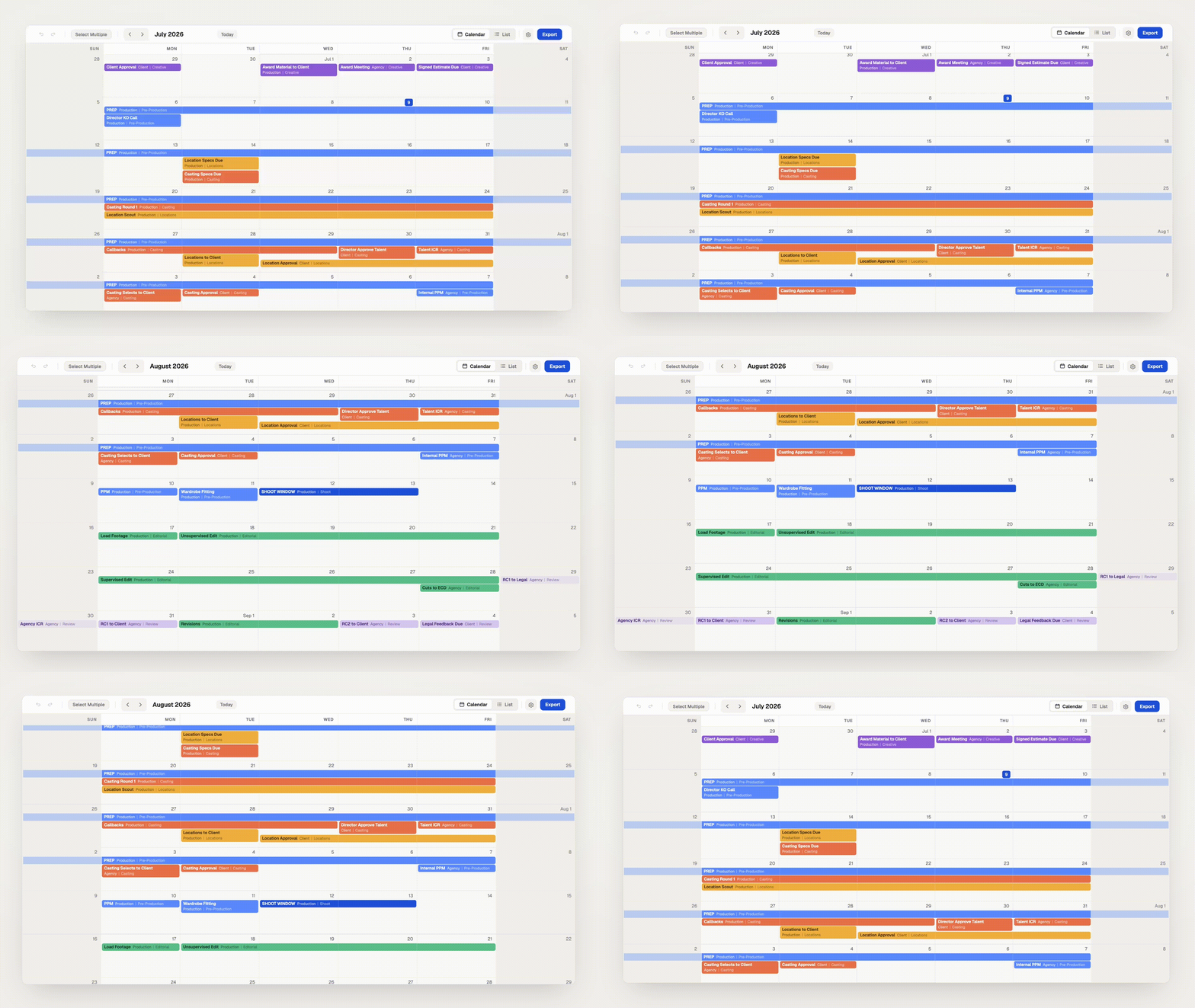
Your project calendar now flows as one continuous timeline, and so does the Master Calendar. Scroll to glide from month to month, or use the arrows and Today button to snap exactly where you need to be. The month title keeps pace as you move, and every month's first day is labeled ("Jul 1") so you always have your bearings.

Improved exports

Each exported month now includes just the weeks it spans. Fewer wasted rows means every month fits more comfortably on the page, with more room for the schedule itself. Month boundaries are clearer too: on weeks shared between two months, days outside the month are gently recessed and events belonging to the neighboring page appear faded, so an event near a month boundary never reads as a confusing duplicate across two pages.

Everything you rely on works just like before: drag, resize, push/pull, undo, sharing, all of it.

NewImproved

Earlier updates